
Quick Answer
Fill all five slots with four stickers from one category and one from another to work toward Gallery's 10 characters. All 10 result names are listed below. Exact sticker recipes are still being added. Players report changing your computer's date and time lets you bypass the 24-hour wait between attempts.
What are the 10 Sticker Quiz results?
There are 10 results, and you reach them with the four-plus-one pattern.
| Result | Style |
|---|---|
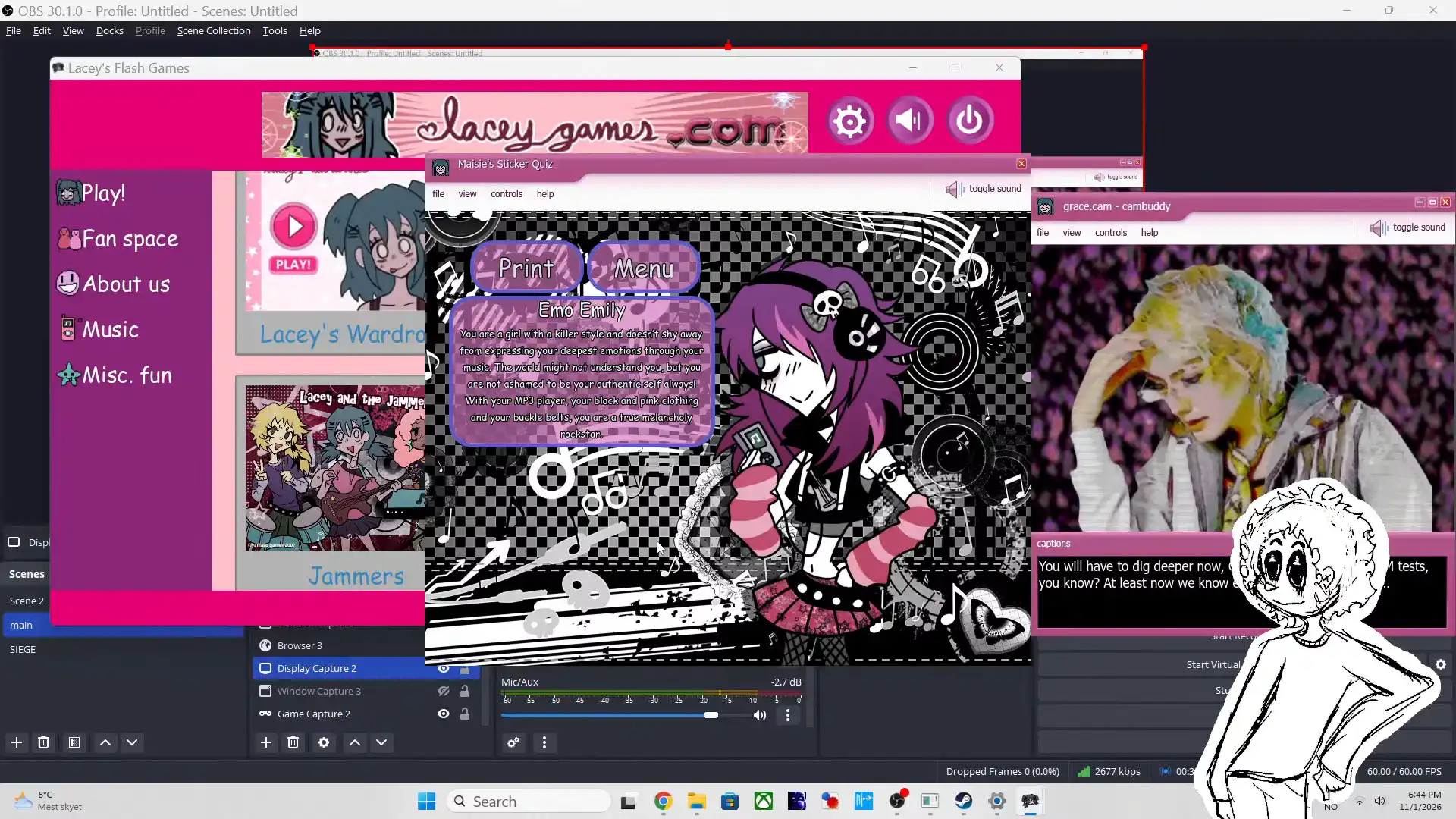
| Emo Emily | Black and pink clothing, buckle belts and an MP3 player |
| Retro Regina | Vintage fashion and old records |
| Geometric Gigi | Patterns, shapes and stripes |
| Tutti-Frutti Frida | Fruit and sunny days |
| Girly Gabriela | Pink, makeup and fashion |
| Animal Annie | Pets and animal rights |
| Smiley Sarah | Jokes and emoji faces |
| Artsy Agatha | Painting, drawing and collage |
| Romantic Rosie | Hearts and romance |
| Mystic Miriam | Fantasy, nature and stargazing |
You choose stickers to decorate a notebook, then Maisie matches your creation with a character. The four-plus-one rule gives you the pattern. The exact sticker recipe for each result is still being added.
What stickers are in each group?
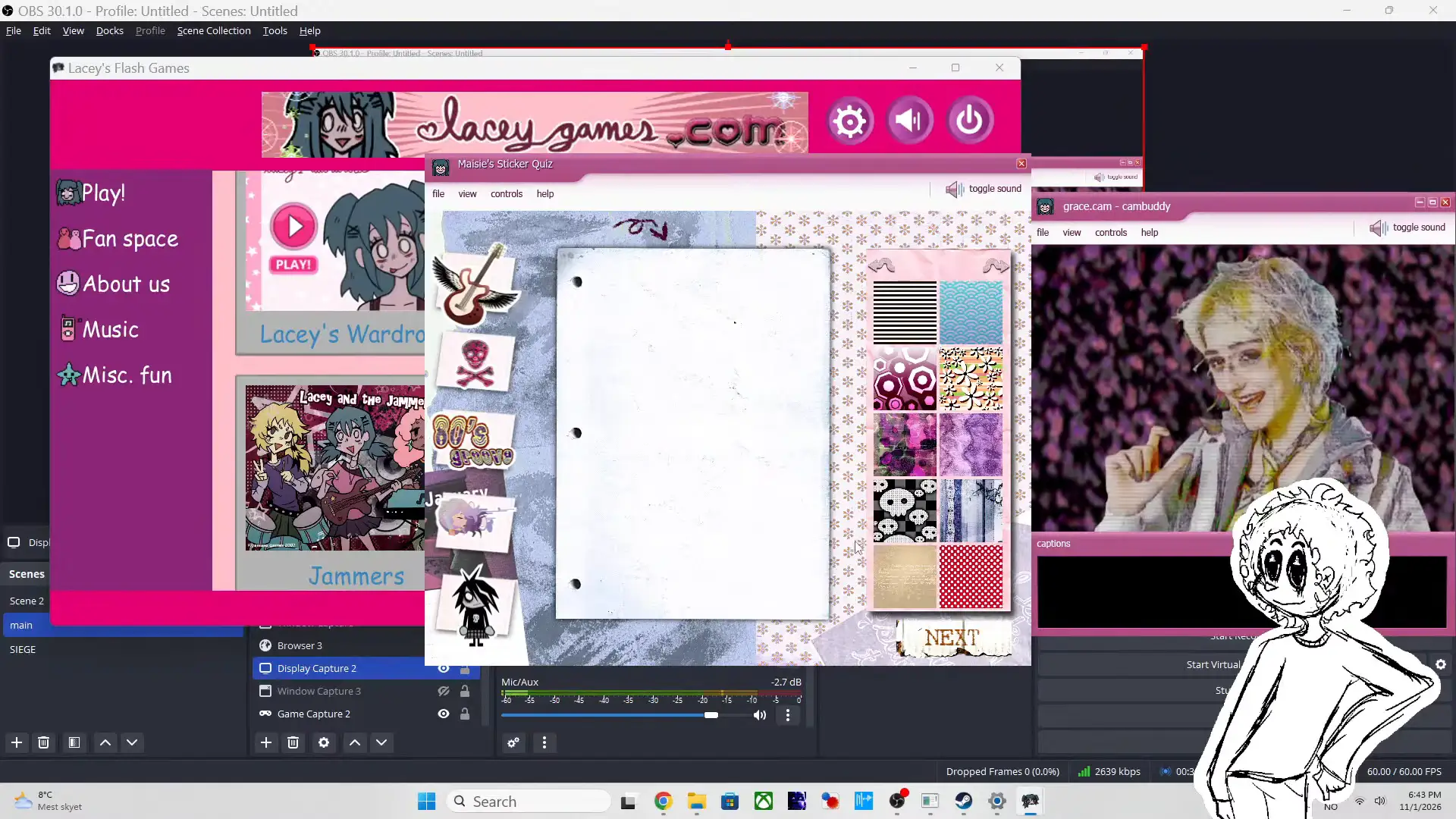
The sticker sheet has five groups of four stickers each.
| Group | Stickers |
|---|---|
| 1 | Blue butterfly, eye, crescent moon, flowers |
| 2 | Pink bow, crown, lipstick, red platform heel |
| 3 | Dog with headphones, dolphin, kitten, paw print |
| 4 | Rubik's cube, pi symbol, star, spiral |
| 5 | Vinyl record, disco ball, 60's groovy, boombox |
Four stickers from one group plus one from another fill the five slots. The 10 results come from these groups and their pairings.
How do you complete a Sticker Quiz attempt?
You fill all five slots, using four stickers from one category and a fifth from another.
Choose your main category
Use four stickers from the category required for the character you want. Until the recipes are listed, treat each try as an experiment.
Add one different sticker
Use a sticker from another category for the remaining slot. The rule calls for four stickers from the same category, rather than simply five stickers you like.
Receive Maisie's result
Finish your notebook selection so Maisie can tell you which character matches your creation. Use the returned character to track your progress toward the 10-character Gallery goal.
If you want to continue elsewhere afterward, use the Lacey's Flash Games walkthrough hub.
How do you unlock Gallery?
You unlock Gallery by collecting all 10 characters in Maisie's Sticker Quiz.
Completing one notebook gives you a character result; the achievement requires the full collection. Repeat the five-slot process with the required combinations until you have all 10 characters. Repeat results do not count, so track names against the table above.
Gallery is the achievement's name.
Once you finish collecting, you can switch games with the Lacey's Nursery walkthrough.
How do you get past the 24-hour wait?
Players report changing your computer's date and time bypasses the 24-hour wait after a completed attempt.
You otherwise need to wait 24 hours before playing the minigame again. The reported shortcut uses your computer settings, rather than a different sticker combination. Players report collecting every result this way.
The exact date adjustment is still being documented. No precise clock setting is available here, so you should not expect a specific timestamp recipe. This workaround addresses the wait; you still need the combinations for any characters you have yet to collect.
While you wait, you can use the Love Meter walkthrough for another game.
FAQ
You need five filled slots per attempt and 10 different characters for Gallery.
No. You need four stickers from one category and one sticker from a different category. The rule describes matching categories, without specifying five identical designs.
You need all 10 characters. One completed attempt gives you a result, rather than completing the whole achievement.
The complete five-sticker combination is still unavailable here. You can recognize Emo Emily by the MP3 player, black and pink clothing, and buckle belts.
Players report that you can bypass it by changing your computer's date and time. The exact clock adjustment is still being documented.